

From your profile toolbar select friends.

The Friends page lists your current friends and shows the Friend Request you sent, and Friend Request Pending your approval.

To invite a new friend who is a member of MeetMeWorld.net enter the user name of the person in the Search friends field and click GO.
To invite a new friend from your email list click Invite Friends.
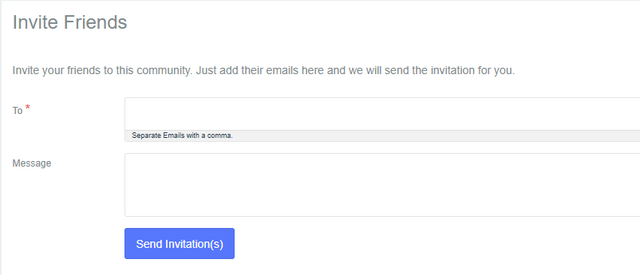
Enter the email address(es) of the friends you'd like to invite. Separate multiple email addresses with commas.
Enter a personal message for your invite. If you wish you can copy and paste the text below.
Subject: Discover MeetMeWorld.net – Where Real Connections Begin
Hey [Friend’s Name] or Friends,

I wanted to personally invite you to check out a new platform I think you'll really like — MeetMeWorld.net. It’s all about building authentic connections, staying in the loop with real news, and engaging with a community that actually values meaningful interaction.
It’s not just another social site — it’s a space where voices matter and networking feels real. Whether you're looking to make new friends, share your thoughts, or just explore something refreshingly different, I think you’ll feel right at home.
You can join for FREE by clicking the link below.
Would love to see you there and maybe even start a group together!

Cheers,
[Your Name]